Ademero vs Microsoft Azure AI
You need documents handled, not an AI project.
Azure AI Document Intelligence and Azure OpenAI: AI services in the Microsoft cloud for developers to build with. Ademero hands your team finished document AI instead: it splits, sorts, reads and files your paperwork from the first day, on your own PC if you like.
CapturePoint 6 free trial: no form, it starts the first time you open it.
Side by side
Building blocks, or the finished thing.
Both are serious AI. The difference is how much your team has to build before a single invoice gets filed.
- What you get
- AdemeroFinished document AI your team uses on day one
- AzureAI services and APIs your developers assemble into an app
- Where documents are read
- AdemeroYour PC, your servers or Google Cloud: your choice
- AzureMicrosoft Azure
- Who sets it up
- AdemeroYour team, with free help from ours
- AzureYour developers, or a partner you hire
- How you pay
- AdemeroCapturePoint 6: priced per scanning station, with unlimited scanning. Paige: sold as monthly plans sized to your document volume. Cortexa: quoted for your servers and workload.
- AzureUsage-based cloud billing
Finished software, not a to-do list for your developers.
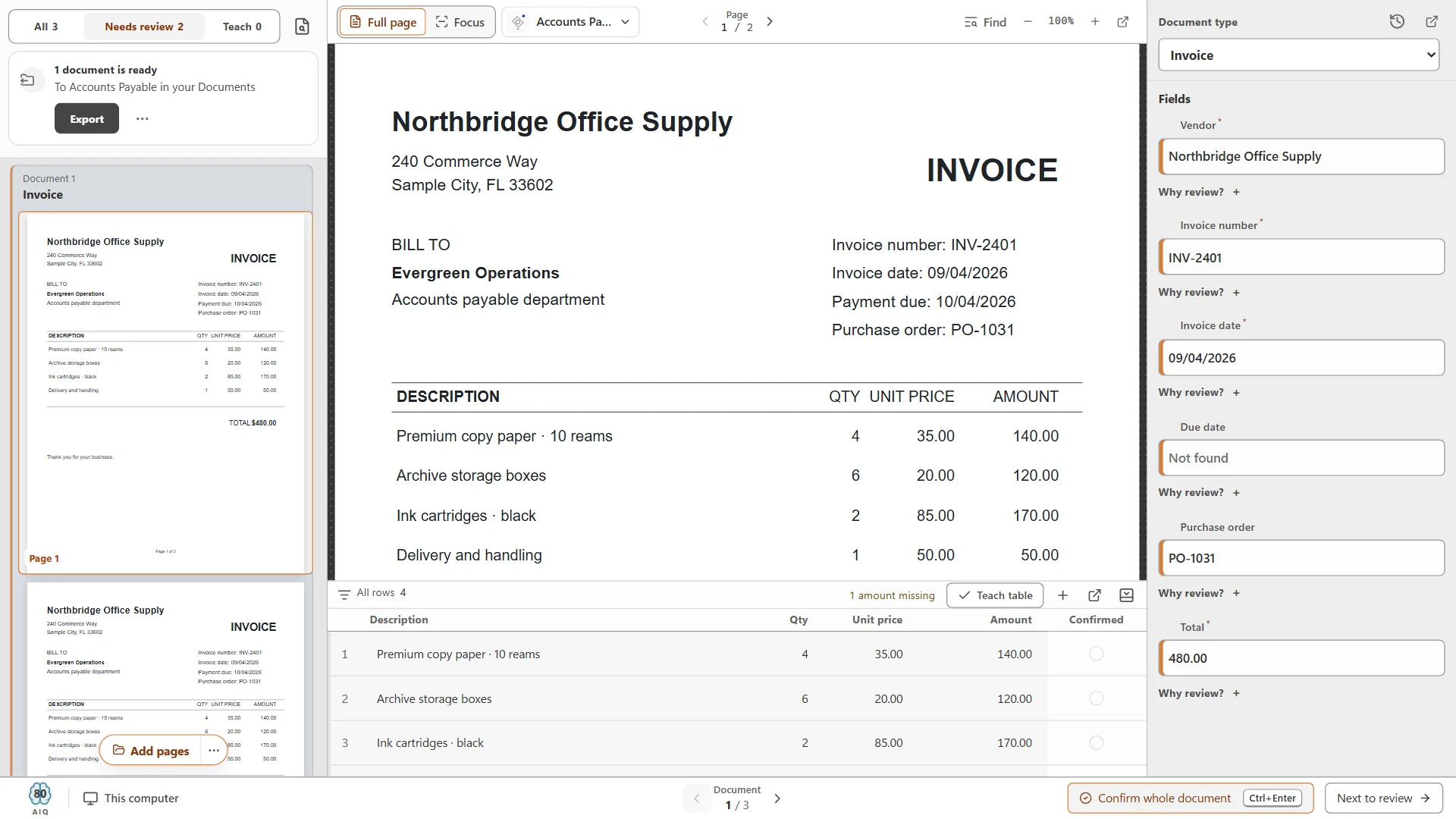
- Open it and scan. CapturePoint 6 installs on a Windows PC and starts its free trial the first time you open it. No project, no form.
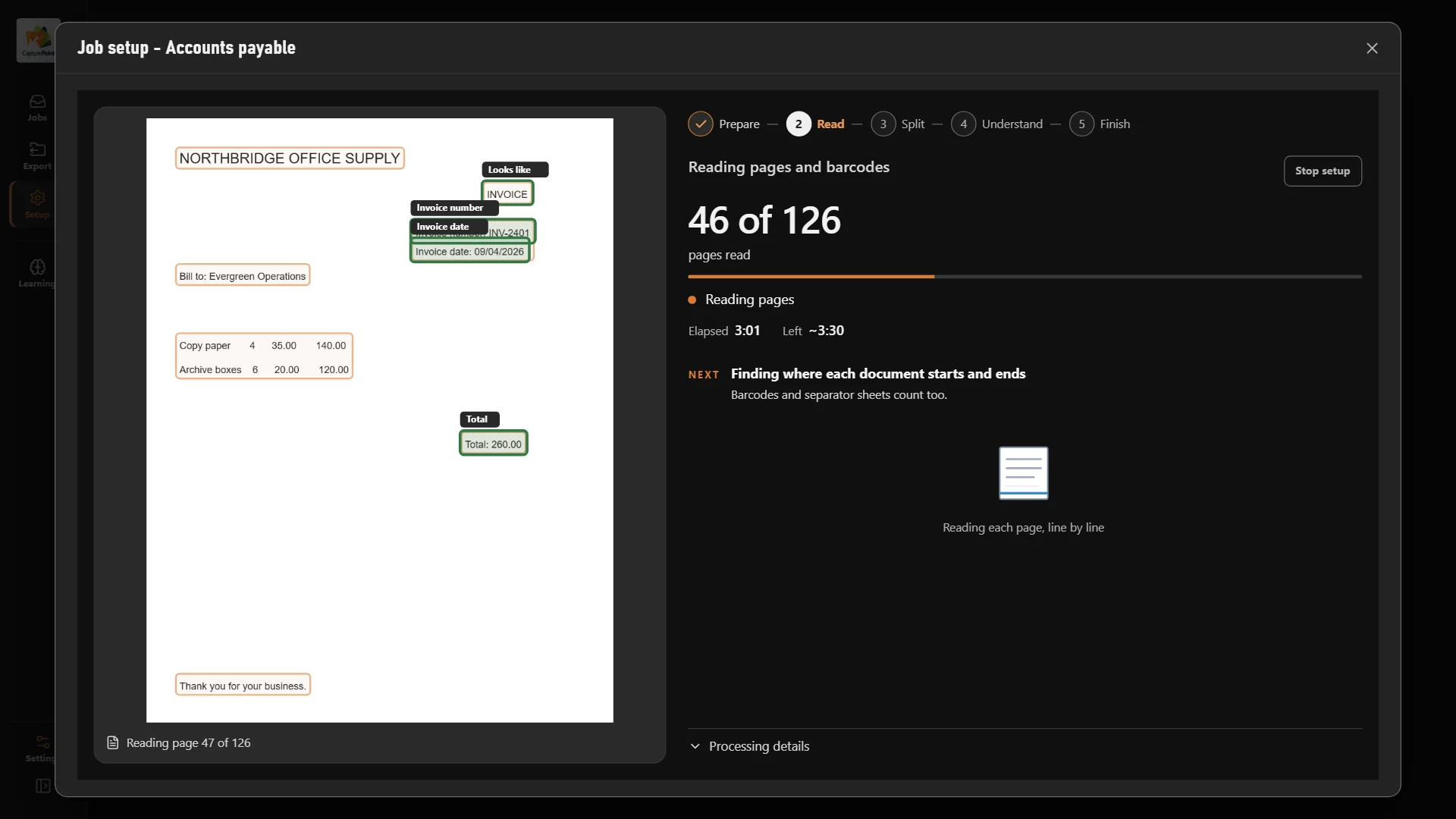
- It learns your documents. Point it at a folder and it works out every document type you have, then reads the fields and line items.
- Work ends up where it belongs. Named, searchable PDFs and clean data in your folders, Content Central, Nucleus One, SharePoint, Google Drive and more.
Local AI
Cutting-edge AI. No data center required.
CapturePoint 6 puts a complete document AI on the Windows PC next to your scanner. It is the most accurate document AI we have ever measured, and it does all of its thinking right there, without sending a single page anywhere.
The AI comes to you
A one-time download installs the full document AI on your PC. Every page is read and understood right there. Nothing goes to the cloud.
Fast on the PC you have
It runs with or without a graphics card. Add one and Speed boost switches on by itself. It measures your machine and tunes itself to it.
No per-page AI bill
One flat price per station with unlimited scanning. Run ten pages or ten thousand, and the price stays the same.
Smarter every day
It learns from every answer you confirm, and it only adopts a new rule when it measures better than the old one.
Windows 10 or 11, 64-bit. A graphics card is optional.
Sends it where you work
Your documents land right where your team already looks.
Every finished document goes out as a searchable PDF with its data, named and filed. Send it to your own folders, Content Central or Nucleus One, or straight into SharePoint, OneDrive, Google Drive, Dropbox and Box.
 SharePoint
 OneDrive
 Google Drive
 Dropbox
 Box
Box

- Your own folders
And many more systems through Cortexa Connect. Tell us where your documents need to go.
When the cloud fits
Paige reads documents in the cloud and sends the data back.
Fair is fair
When Microsoft Azure AI is the better pick.
You have Azure developers and want to build your own document app inside Microsoft’s cloud. If your goal is getting documents read and filed, start with Ademero, and let your developers build on Cortexa if they want to go further.
The products
Three ways to put AI on your documents.
Same AI, three places to run it. Pick the one that fits where your documents have to stay.
CapturePoint 6 · On your own PC
Document AI that runs next to your scanner.
Splits, sorts, reads and names every document right on your Windows PC. No data center, no per-page AI bill, nothing sent anywhere.
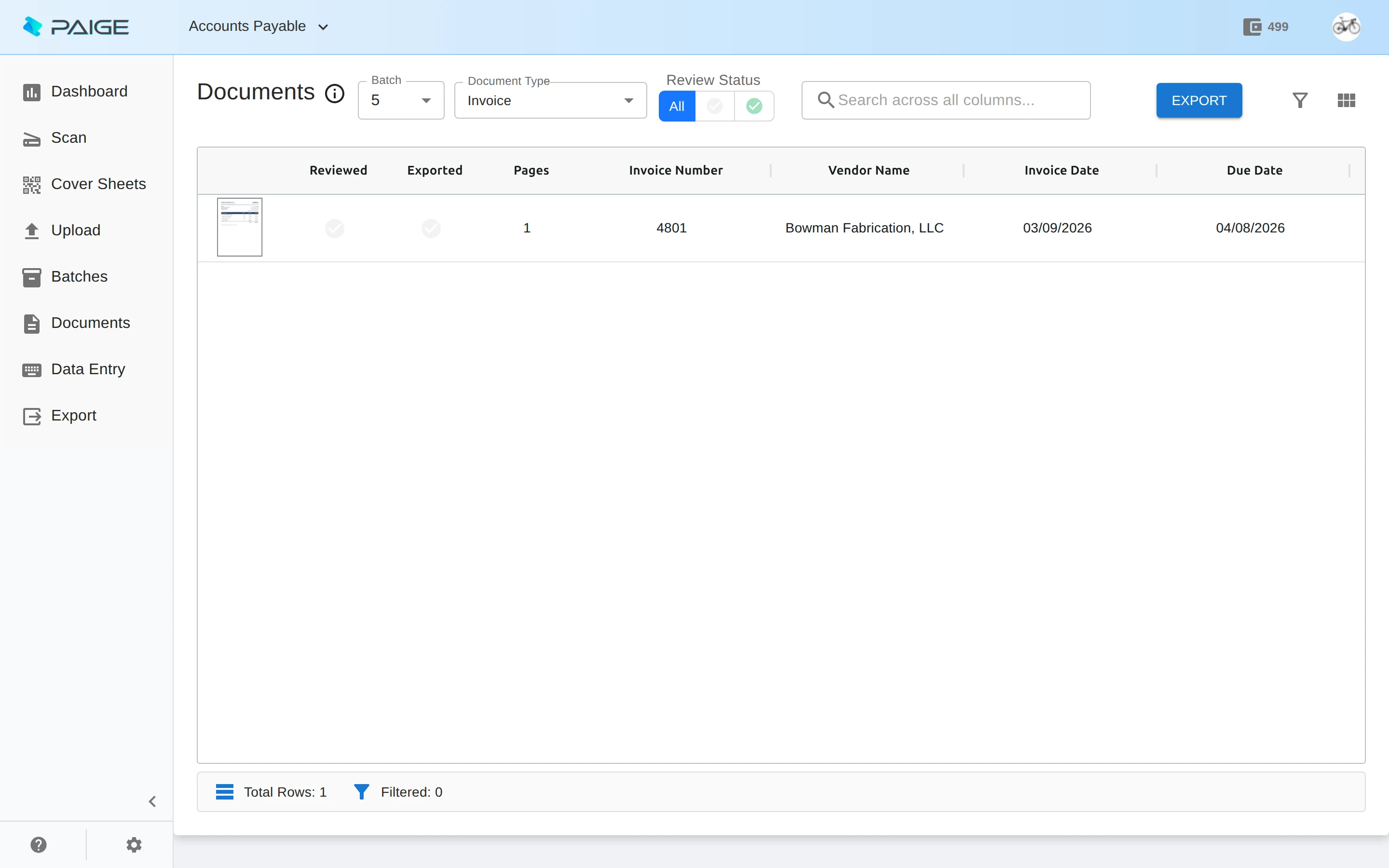
Paige · In the cloud
Send in documents. Get clean data back.
Learns your documents from a few samples, then pulls fields and line items and delivers them by download, SFTP or webhook.
Cortexa · On your own servers
Private AI inside your own walls.
The AI inside CapturePoint 6 and Paige, on servers you own, with an OpenAI-compatible API your tools already speak.
Trusted by 1,000+ organizations since 2002.
Fortune 500 companies and government agencies run on Ademero. Their security, IT and legal teams review us every year and keep renewing.
- Organizations
- 1,000+
- Building document software since
- 2002
- And government agencies
- Fortune 500
- We sign them
- HIPAA BAAs
Questions we hear in comparisons.
Is Ademero a replacement for Microsoft Azure AI?
For document work, usually yes. Microsoft Azure AI gives developers AI building blocks. Ademero gives your team finished apps that split, sort, read and file documents, so there is nothing to build first.
Can our developers still build on it?
Yes. Cortexa runs private AI on servers you own with an OpenAI-compatible API, so the tools your developers already use can talk to it. Paige delivers data by download, SFTP or webhook.
Do our documents have to go to a cloud?
No. CapturePoint 6 reads every page on your own Windows PC and Cortexa runs on your own servers. Paige runs on Google Cloud when the cloud is the better fit.
How do we try it?
Download CapturePoint 6 and the free trial starts on first launch, no form. Or book a free live demo and we will run your own documents through it.
Free live demo
Compare them on your own documents.
Book a free demo and we will show you around, answer your questions and run your real paperwork through it. No cost, no pressure.
- A live tour of the products that fit your work
- Your own documents, set up and shown working
- Your workflow and process, mapped with you
- Straight answers from people who build it
