New: CapturePoint 6, powered by Cortexa AI
Drop in your documents. CapturePoint does the rest.
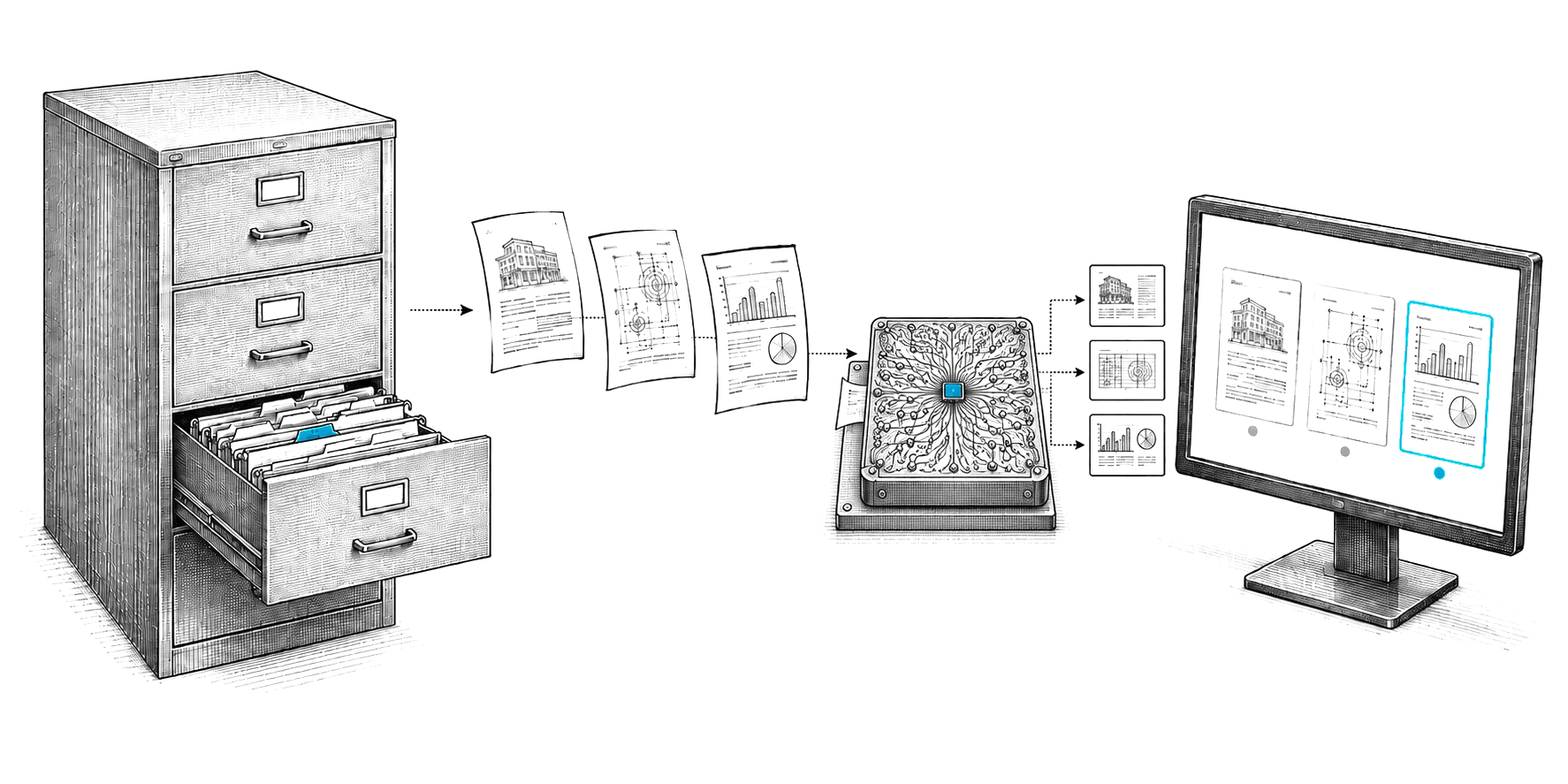
It understands every document, pulls out the data and files it into your system, with no setup. And it teaches itself as it goes.
No sign-up. Download it and start using it today.
- Runs on your own PC
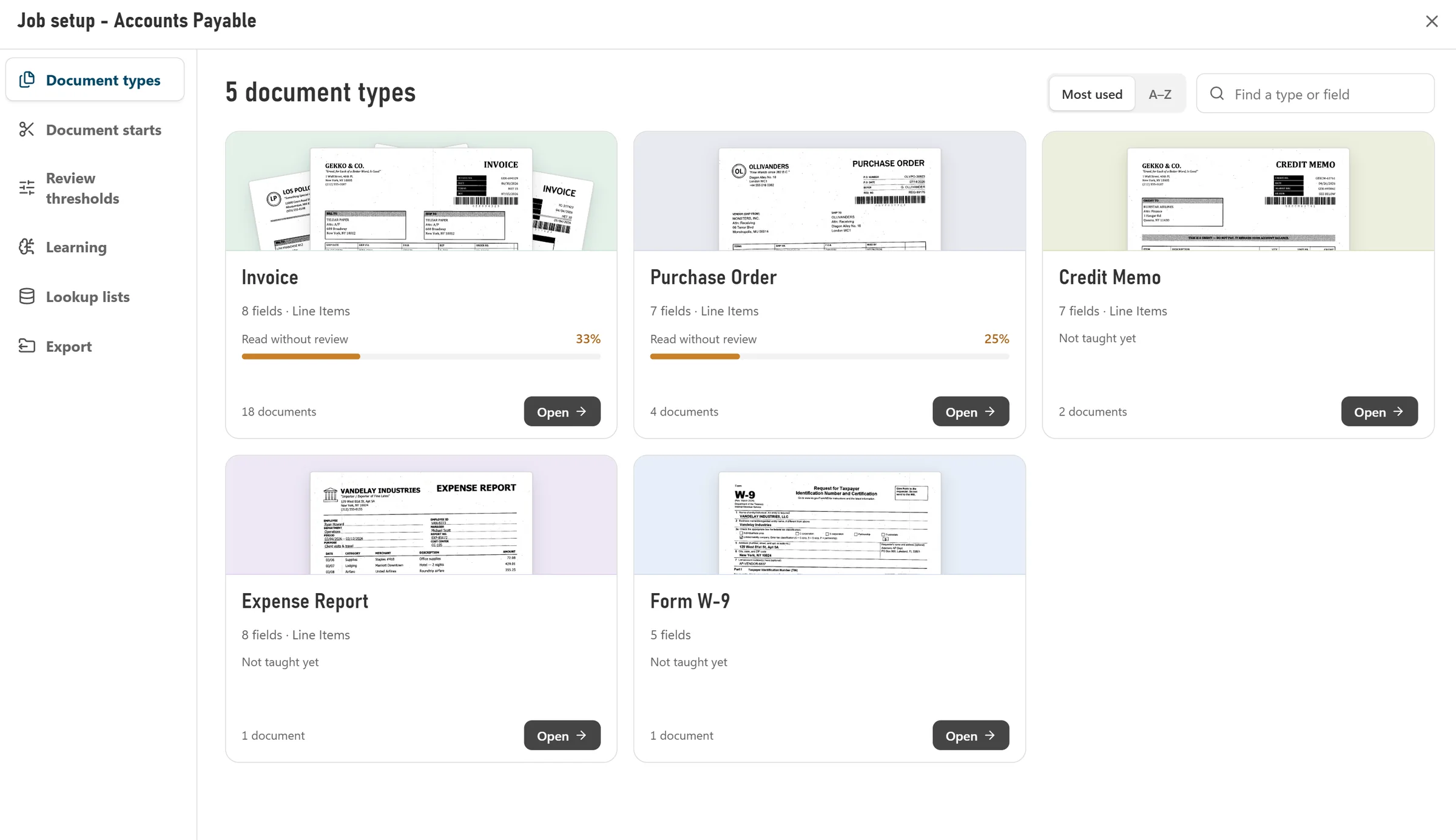
- Sets itself up from your samples
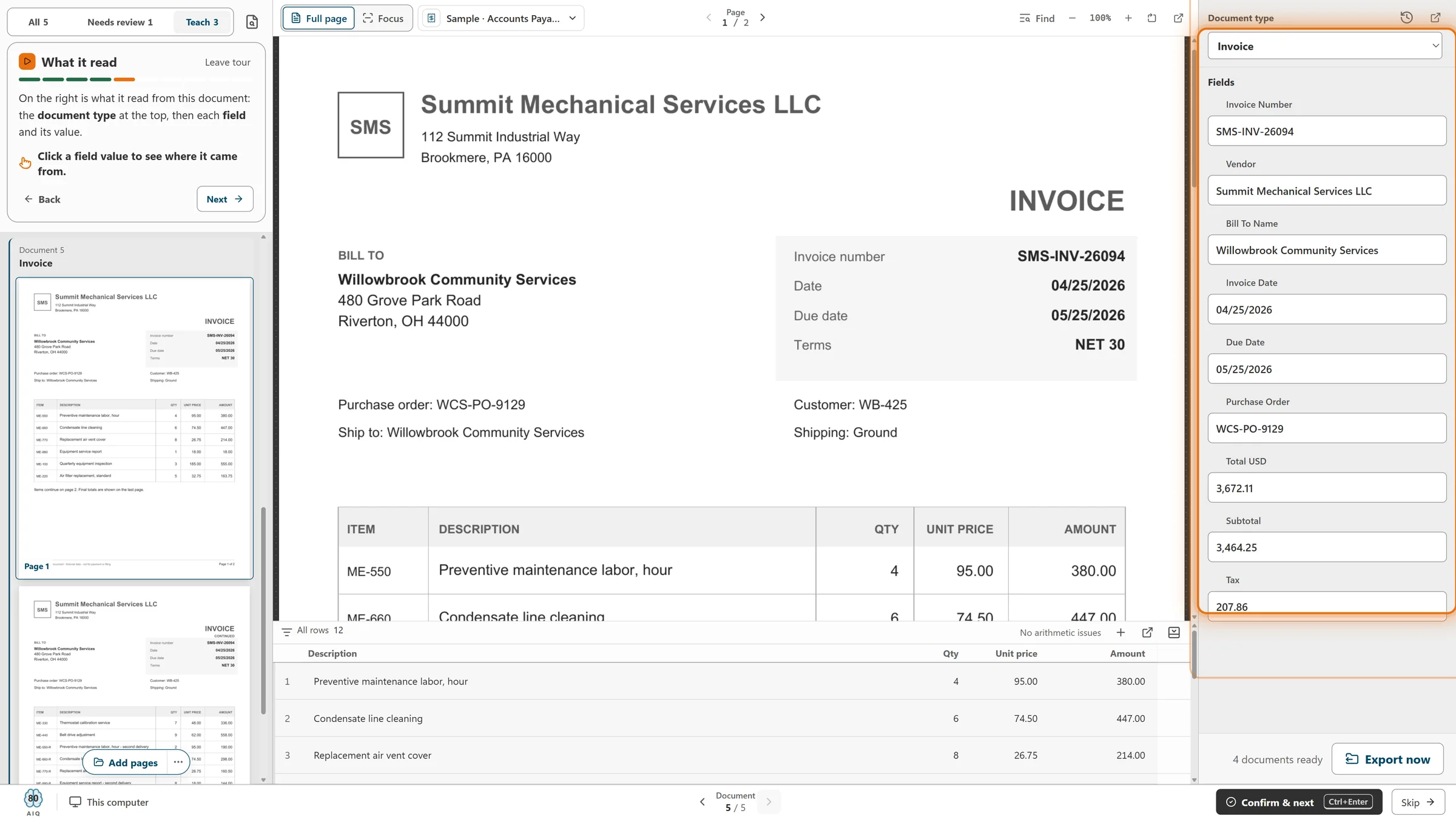
- Learns from your corrections
Local AI
Cutting-edge AI. No data center required.
CapturePoint 6 puts a complete document AI on the Windows PC next to your scanner. It is the most accurate document AI we have ever measured, and it does all of its reading right there, without sending a page out to be read.
The AI comes to you
A one-time download installs the full document AI on your PC. Every page is read and understood right there, not sent to a cloud service to be read.
Fast on the PC you have
It runs with or without a graphics card. Add one and Speed boost switches on by itself. It measures your machine and tunes itself to it.
One price per PC
Every page is read on your PC. One price covers every feature.
Smarter every day
It learns from every correction you confirm. The longer it runs, the more it takes care of on its own.
Windows 11, 64-bit. A graphics card is optional.
The paperwork your team used to do by hand.
Understands your documents
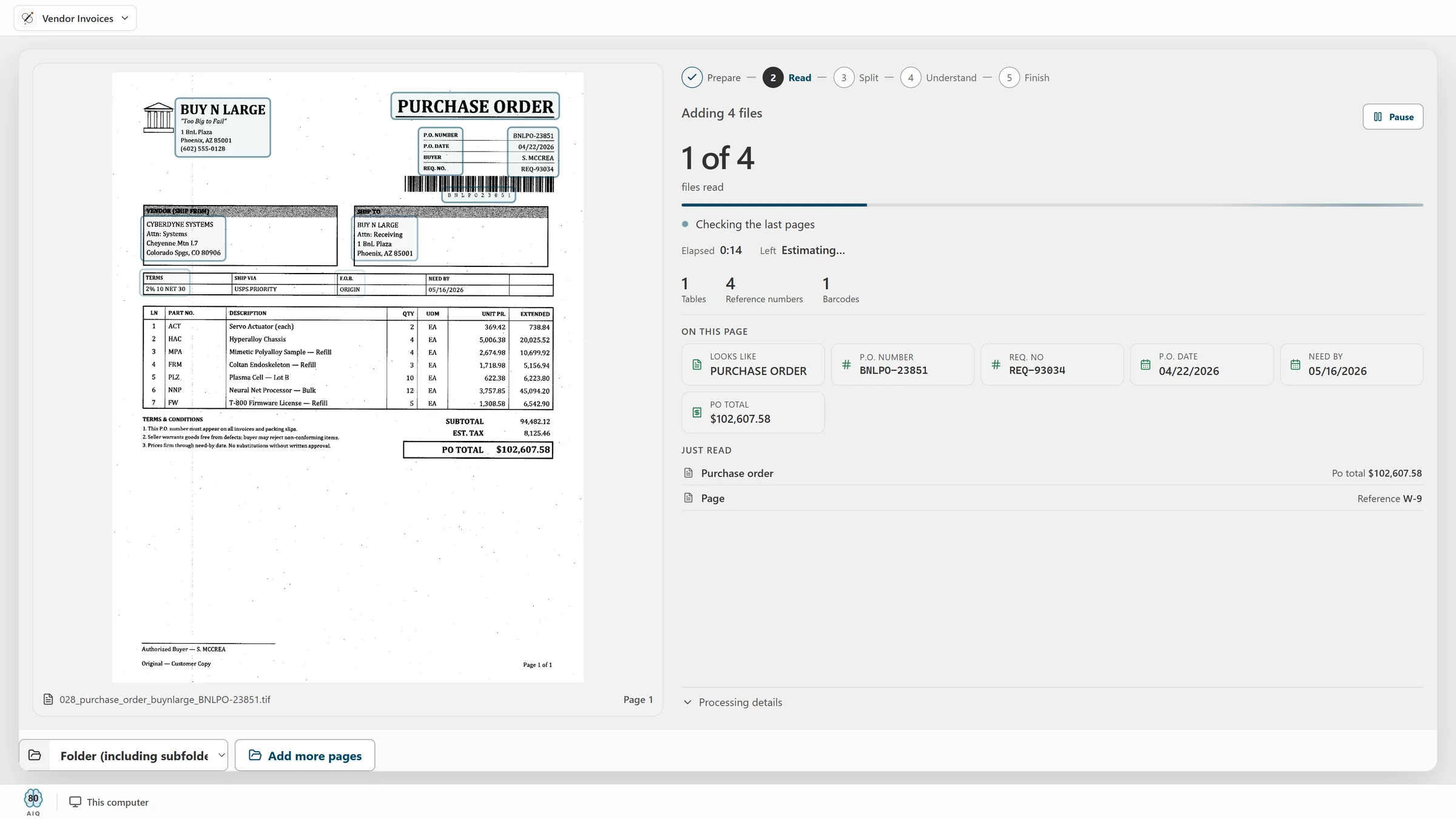
Invoices, claims, forms. It knows what each one is.
Pulls out the data
Names, dates, totals and every line item.
Files it for you
Into your folders or Content Central, and on to SharePoint, Google Drive, Dropbox or Nucleus One.
It teaches itself. The more it sees, the better it gets.
Sends it where you work
Your documents land right where your team already looks.
Reading happens on your PC. Every finished document is then named and filed as a searchable PDF in your own folders or Content Central, and can also go to SharePoint or OneDrive, Google Drive, Dropbox or Nucleus One.

 SharePoint and OneDrive
 Google Drive
 Dropbox

- Your own folders
SharePoint and OneDrive need a Microsoft 365 work or school account. Need another system? Tell us where your documents need to go.
More paperwork problems, solved.
Compare all products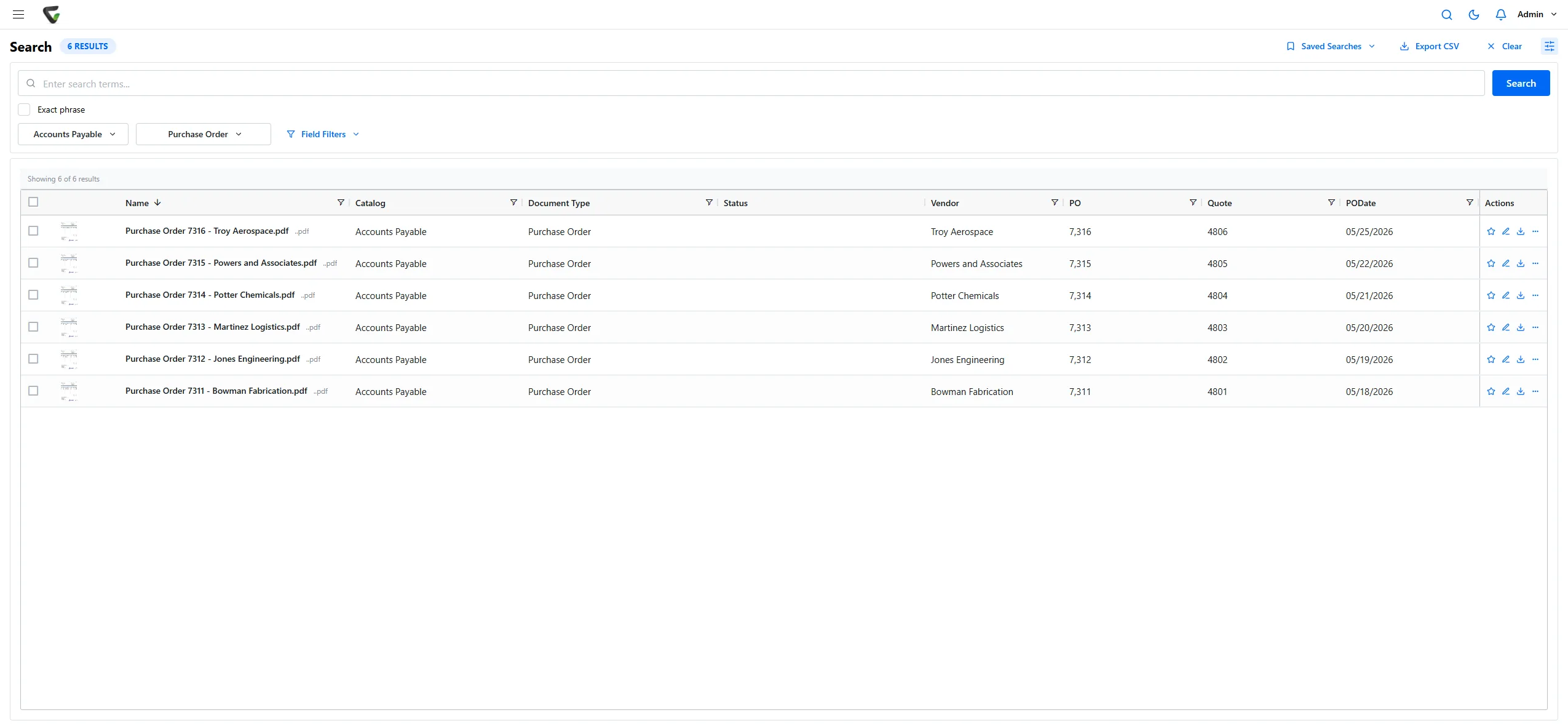
Content Central
Nobody can find anything.
Every document in one place, in the cloud or on your own servers, found in seconds.
See Content Central- SubmittedVendor contract.pdf
- Finance approvedSigned by J. Ortiz
- Legal reviewWaiting on you
- E-signatureSent when approved
Nucleus One
Approvals stall in email.
Documents, approvals and e-signatures in one place. Start free.
See Nucleus One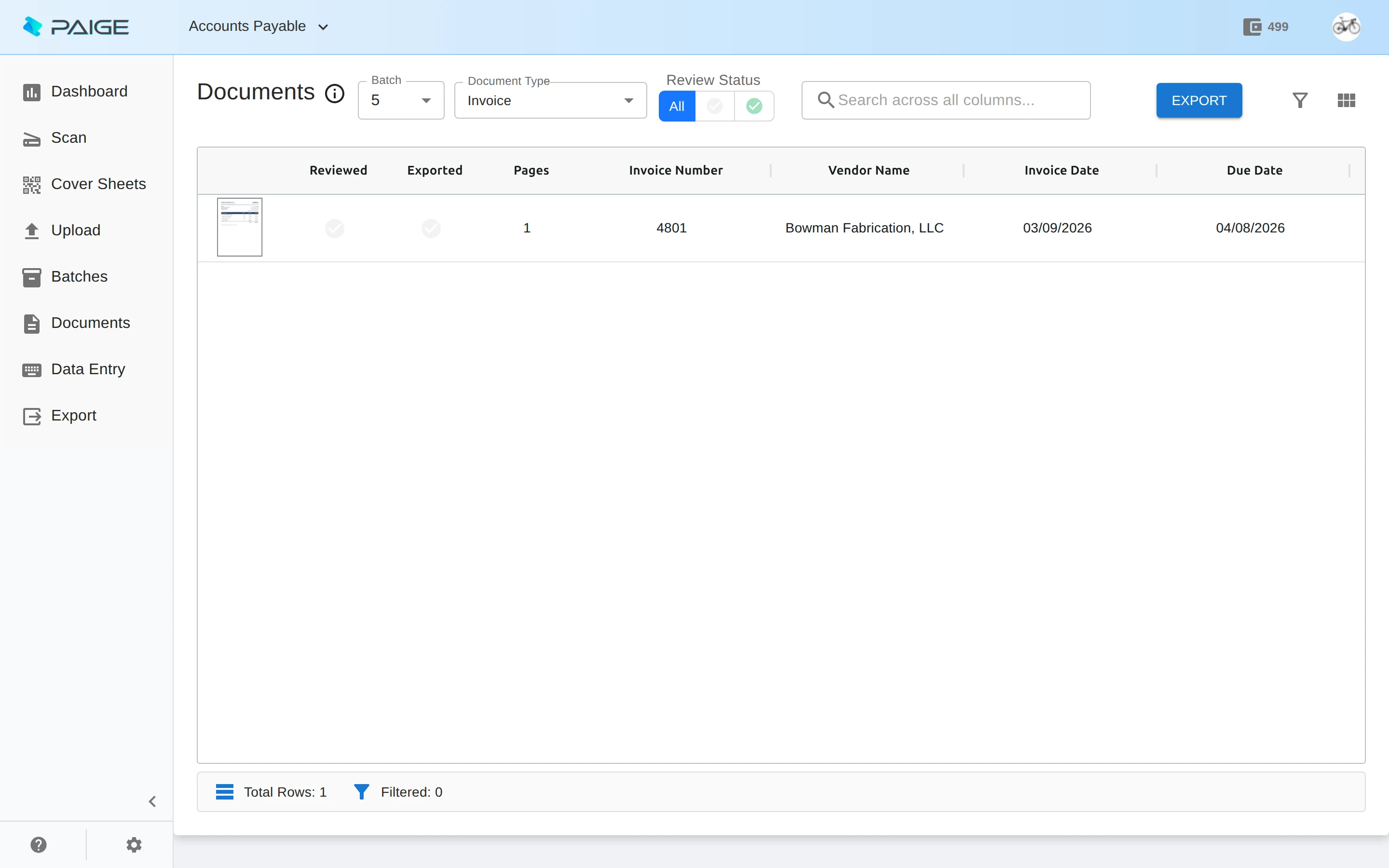
Paige
Someone keys in data all day.
Send in documents and get clean, structured data back.
See Paige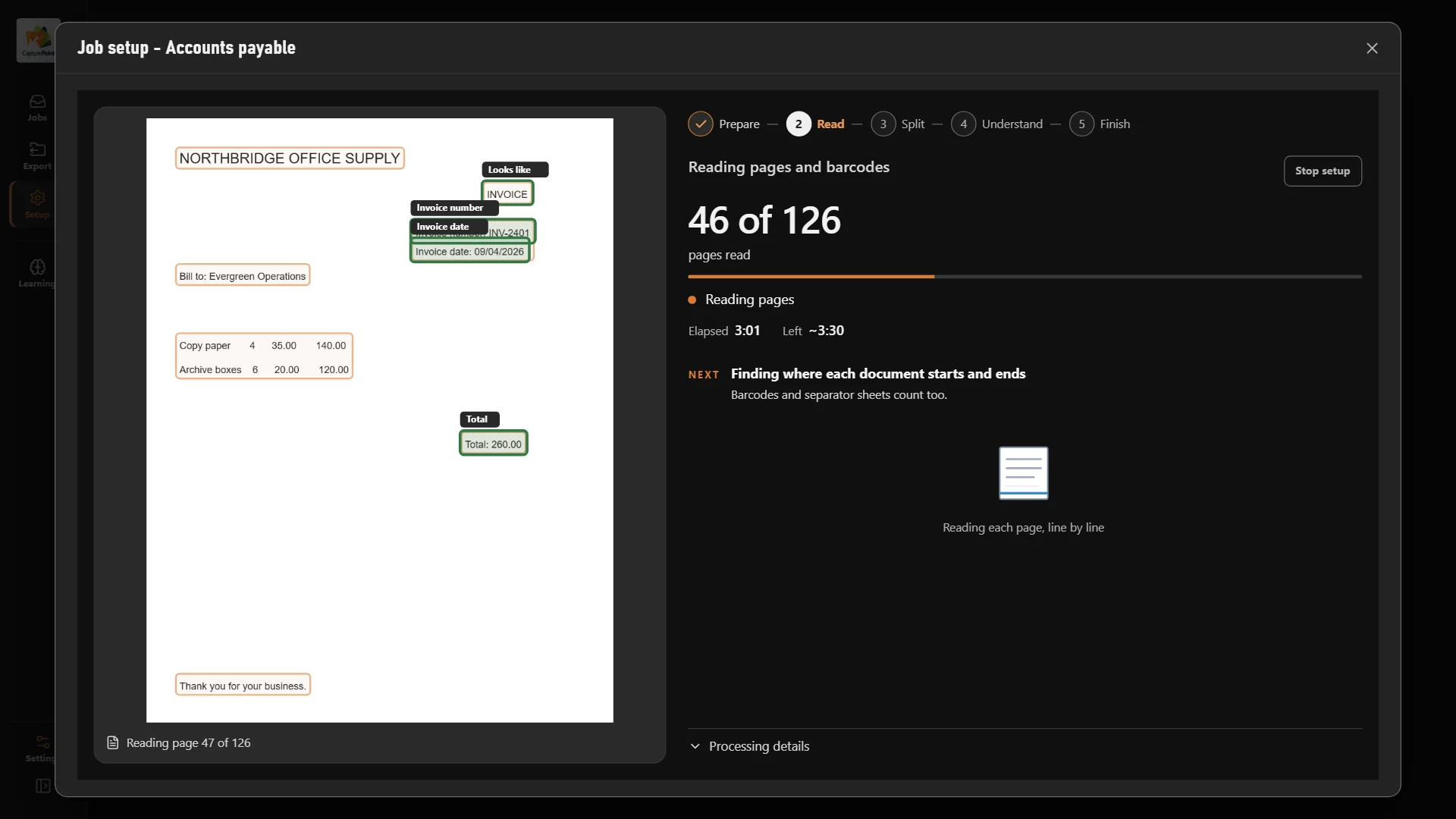
Cortexa
Files that can’t leave the building.
Private AI on servers you own, at work inside Content Central and every Ademero product.
See CortexaWhich one fits you
Start with your problem. We'll point you to the fix.
Paper piles up at the scanner.
CapturePoint 6Scan, split, read and name documents with local AI on your own PC.
Nobody can find the right document.
Content CentralFull document management in the cloud or on your own servers, live in 30 days.
Your team juggles tasks, forms and clients.
Nucleus OneA lighter cloud app for projects, tasks, forms and client portals.
You need data, not documents.
PaigeSend in documents, get clean fields and line items back.
You want AI that never leaves the building.
CortexaPrivate AI on servers you own, working inside your document processes, with custom AI tools built with our team.
Free live demo
See it work on your own documents.
Book a free demo and we will show you around, answer your questions and run your real paperwork through it. No cost, no pressure.
- A live tour of the products that fit your work
- Your own documents, set up and shown working
- Your workflow and process, mapped with you
- Straight answers from people who build it
