M-Files alternative
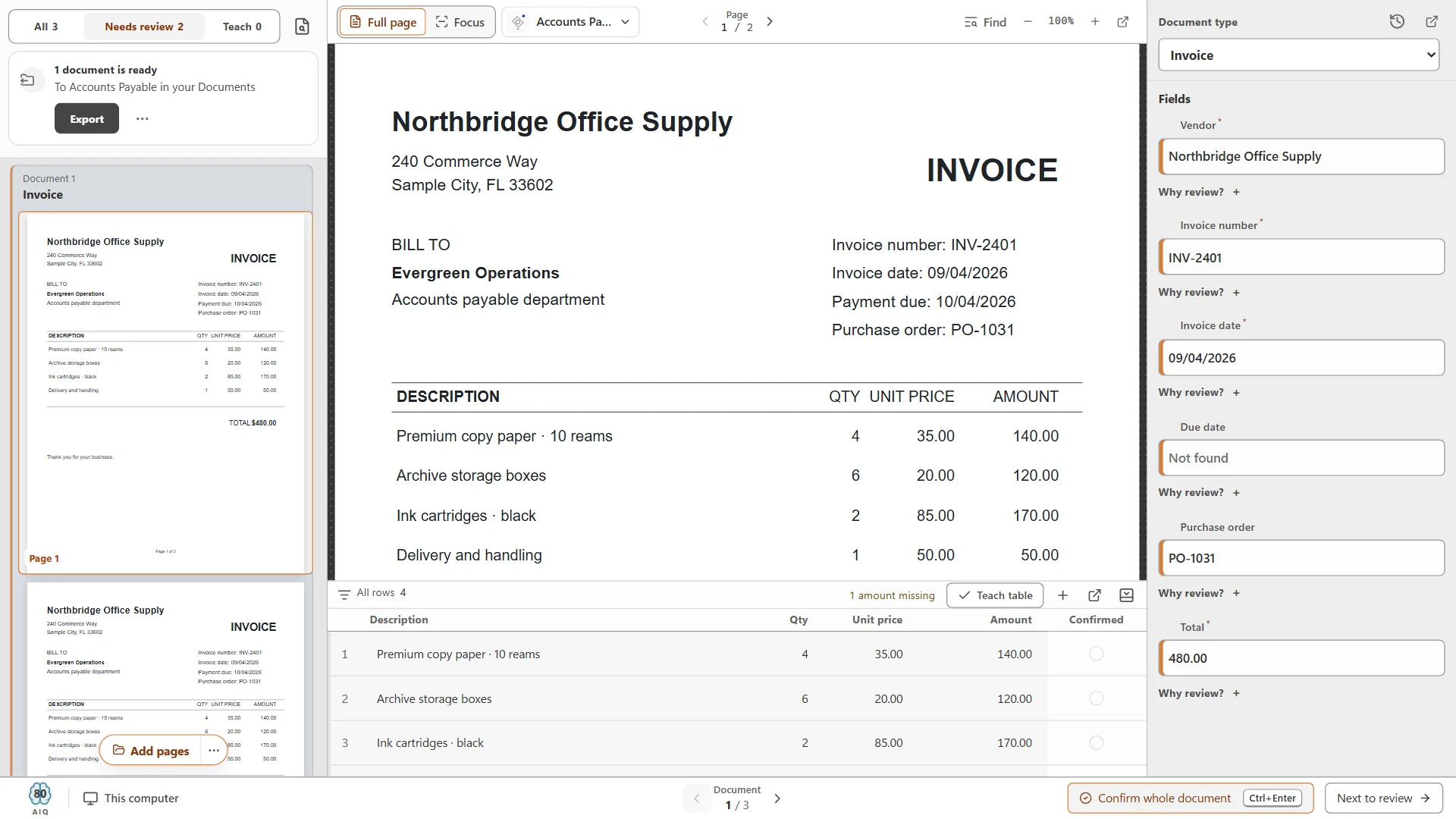
Great metadata, without anyone typing it.
Index fields make documents easy to find, but only if someone fills them in. CapturePoint 6 reads each document at the scanner and fills them for you, and Content Central finds anything by what is inside it.
CapturePoint 6 free trial: no form, it starts the first time you open it.
Search
Find it by a field, or by one remembered phrase.
- Full-text and field search together
- Folders and saved searches
- Permissions respected in every result
Local AI
Cutting-edge AI. No data center required.
CapturePoint 6 puts a complete document AI on the Windows PC next to your scanner. It is the most accurate document AI we have ever measured, and it does all of its thinking right there, without sending a single page anywhere.
The AI comes to you
A one-time download installs the full document AI on your PC. Every page is read and understood right there. Nothing goes to the cloud.
Fast on the PC you have
It runs with or without a graphics card. Add one and Speed boost switches on by itself. It measures your machine and tunes itself to it.
No per-page AI bill
One flat price per station with unlimited scanning. Run ten pages or ten thousand, and the price stays the same.
Smarter every day
It learns from every answer you confirm, and it only adopts a new rule when it measures better than the old one.
Windows 10 or 11, 64-bit. A graphics card is optional.
What to check
Six questions for any DMS shortlist.
Ask every vendor the same six. Here are our answers.
- Who fills in the metadata?
- CapturePoint 6 reads the fields and names each document as you scan. Your team confirms instead of typing.
- Where it runs
- Content Central on your own servers, or Nucleus One in the cloud on Google Cloud.
- Workflows
- Review, approval and e-signature steps routed by document type and field values.
- Records control
- Versions, retention schedules, legal holds, check-in/check-out and a full audit trail.
- Sign-in
- Active Directory and SAML single sign-on, with multi-factor sign-in.
- Time to go live
- Content Central goes live in 30 days. We commit to it up front.
Workflows
Fields that drive the work.
- Routing by field values
- Approvals and e-signatures built in
- Every step in the audit trail
Sends it where you work
Your documents land right where your team already looks.
Every finished document goes out as a searchable PDF with its data, named and filed. Send it to your own folders, Content Central or Nucleus One, or straight into SharePoint, OneDrive, Google Drive, Dropbox and Box.
 SharePoint
 OneDrive
 Google Drive
 Dropbox
 Box
Box

- Your own folders
And many more systems through Cortexa Connect. Tell us where your documents need to go.
Your options
Pick the setup that fits.
At the scanner
CapturePoint 6
AI capture on your own PC. Unlimited scanning, no per-page fees.
About CapturePoint 6Your own servers
Content Central
Enterprise document management that stays inside your environment. Quoted.
About Content CentralIn the cloud
Nucleus One
Documents, workflows, forms, e-signatures and client portals on Google Cloud.
About Nucleus One
Simple to buy
Each product is sold the way you use it.
Tell us about your setup and we will send pricing that fits.
- CapturePoint 6Priced per scanning station, with unlimited scanning.
- Nucleus OnePriced per user, with every feature on every plan.
- PaigeSold as monthly plans sized to your document volume.
- Content Central and CortexaContent Central is quoted for your users and setup. Cortexa is quoted for your servers and workload.
Switching
Moving over, step by step.
- 01
Assessment
We review your document types, metadata, workflows and permissions.
- 02
Plan
A move plan built around your business, with phases if you want them.
- 03
Move
Documents and metadata migrated, workflows rebuilt, systems connected.
- 04
Go live
Content Central live in 30 days, with training and support after.
Trusted by 1,000+ organizations since 2002.
Fortune 500 companies and government agencies run on Ademero. Their security, IT and legal teams review us every year and keep renewing.
- Organizations
- 1,000+
- Building document software since
- 2002
- And government agencies
- Fortune 500
- We sign them
- HIPAA BAAs
Questions buyers ask.
Can you bring over our metadata?
Yes. We map your existing properties to Content Central index fields during the assessment and migrate documents with their metadata.
Does the AI send our documents anywhere?
No. CapturePoint 6 runs its AI on the Windows PC next to your scanner, and Content Central runs on your own servers.
Which business systems does it connect to?
Content Central integrates with QuickBooks, Sage 50 and X3, Workday, Epicor, Dynamics CRM and Nucleus One, and has a REST API.
What does it cost?
Pricing depends on what you need: scanning stations for CapturePoint 6, users for Content Central and Nucleus One, document volume for Paige, and your servers for Cortexa. Tell us about your setup on the pricing page and we will send pricing that fits, or book a free live demo and we will walk you through it.
Free live demo
Bring a stack of documents. Watch the fields fill themselves.
Book a free demo and we will show you around, answer your questions and run your real paperwork through it. No cost, no pressure.
- A live tour of the products that fit your work
- Your own documents, set up and shown working
- Your workflow and process, mapped with you
- Straight answers from people who build it
