Scanning
AP scanning
Turn the invoice stack into named, read, filed documents at the scanner.
For accounting teams
Invoices, POs, checks and receipts read for you, routed for approval and filed by vendor and PO. Every backup document one click away when the auditor asks.
The problem
Every month starts the same way: a stack of invoices to key in, approvals to chase and backup to dig out.
Vendor, dates, totals and line items typed by hand, one invoice at a time.
Invoices sit on desks and in inboxes until a vendor calls asking to be paid.
The PO, packing list and check for one invoice live in three different places.
Pulling samples with their approvals and history eats days of the team’s time.
CapturePoint 6
Drop a mixed stack in the scanner. CapturePoint 6 splits it into documents, works out which are invoices, POs, packing lists and checks, and reads the fields and line items on each. Its AI runs on your own Windows PC, with no templates to build per vendor.
Sends it where you work
Every finished document goes out as a searchable PDF with its data, named and filed. Send it to your own folders, Content Central or Nucleus One, or straight into SharePoint, OneDrive, Google Drive, Dropbox and Box.
 SharePoint
 OneDrive
 Google Drive
 Dropbox
 Box
Box

And many more systems through Cortexa Connect. Tell us where your documents need to go.
Paige
Send PDFs and scans to Paige and get clean data back: vendor, invoice number, dates, totals and every line item, ready for your accounting system.
Content Central
Each invoice goes to the right approver, step by step, and gets signed off inside Content Central. Nobody has to ask where an invoice is.
Content Central
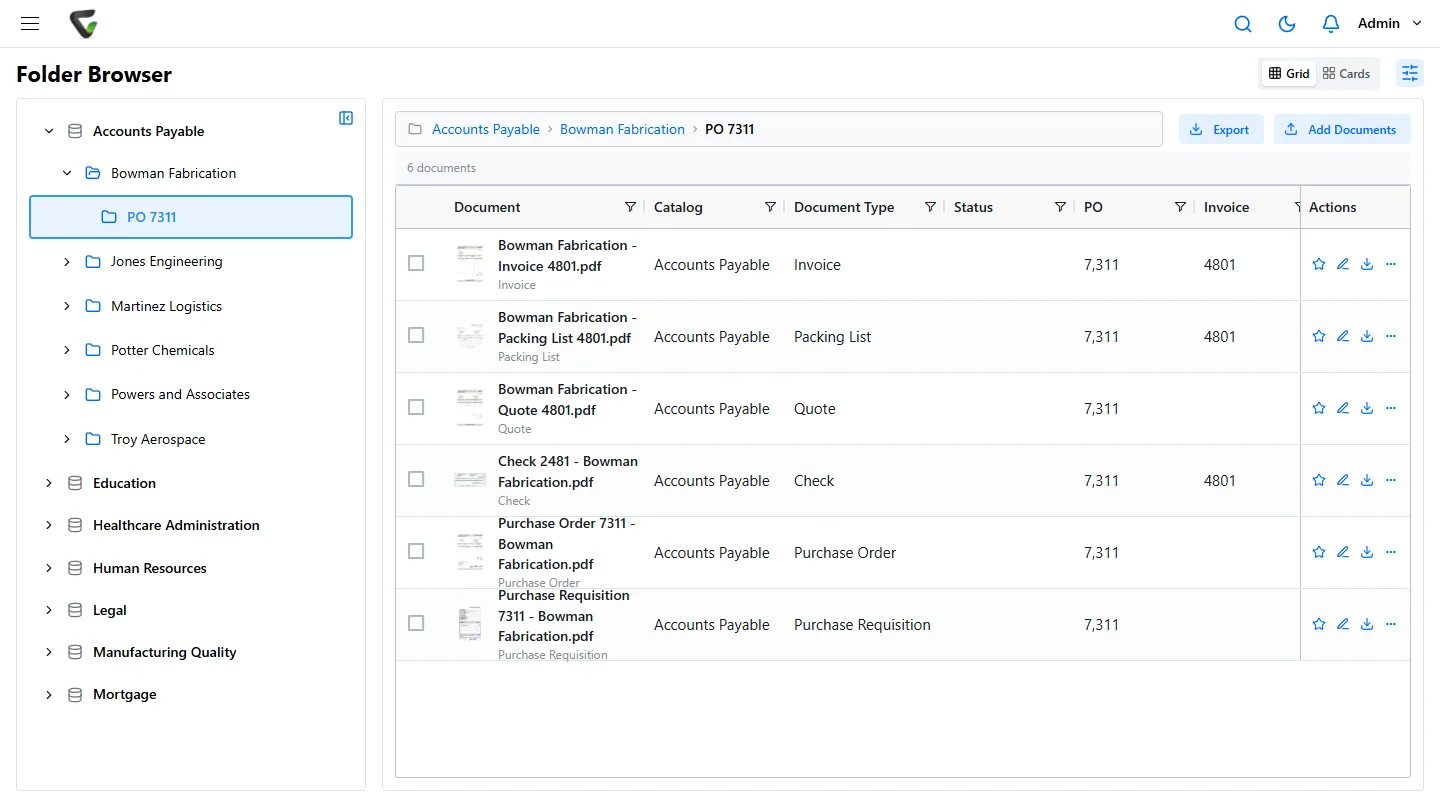
Every invoice sits with its PO, packing list and check, filed by vendor and PO number, with who approved it and when on record.
Scanning
Invoices
Savings
Content Central integrates with QuickBooks, Sage 50, Sage X3, Workday and Epicor, and has a REST API for everything else. Paige delivers clean invoice data by download, SFTP or webhook, so it can feed almost any system.
CapturePoint 6 is for paper you scan in the office: it runs on your Windows PC and turns stacks into named, sorted documents with the data read. Paige is for invoices that arrive as files: send them in and get clean data back, with nothing to install. Many teams use both.
Yes. Content Central keeps every invoice with its backup, records every approval and change with the person and time, and applies retention rules by document type. Those audit trails help you meet SOX.
Pricing depends on what you need: scanning stations for CapturePoint 6, users for Content Central and Nucleus One, document volume for Paige, and your servers for Cortexa. Tell us about your setup on the pricing page and we will send pricing that fits, or book a free live demo and we will walk you through it.
Fortune 500 companies and government agencies run on Ademero. Their security, IT and legal teams review us every year and keep renewing.
Free live demo
Book a free demo and we will show you around, answer your questions and run your real paperwork through it. No cost, no pressure.
