Accounting
For accounting teams
Invoices, approvals and audit backup in one place.
AP scanning
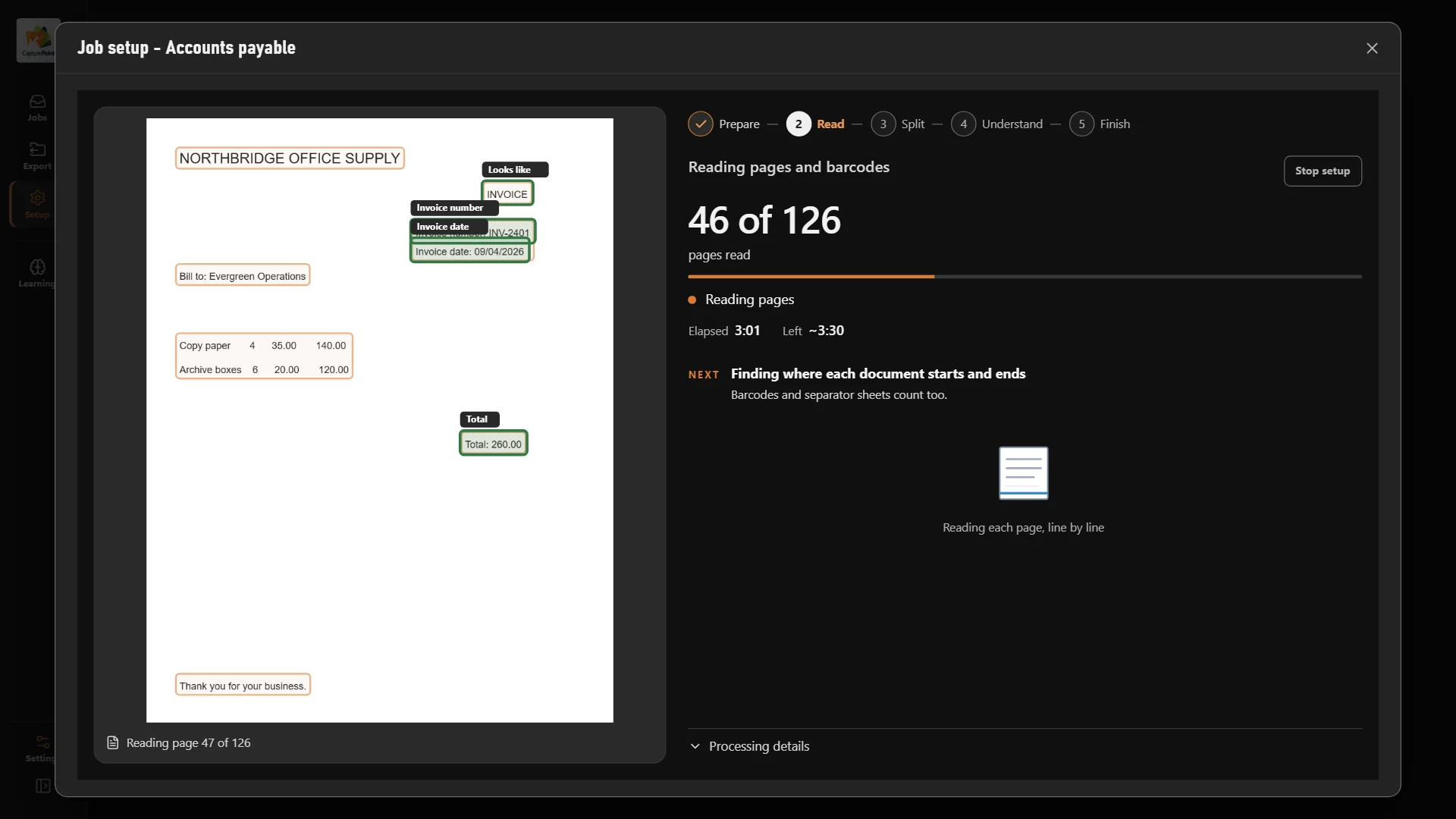
CapturePoint 6 splits the stack into invoices, reads the vendor, dates, totals and every line item, and names each file. Its AI runs on your own PC.
Free trial starts the first time you open it. No form.
The problem
And someone still has to open, sort, key in and file every one of them.
Vendor, invoice number, dates, totals and line items keyed in by hand.
Invoices, POs, packing lists and statements arrive together and get split by hand.
The invoice a vendor is calling about is in a stack, a tray or the wrong folder.
CapturePoint 6
CapturePoint 6 works out where one invoice ends and the next begins, what each document is and what it says. It flags totals that do not add up, and anything it is unsure of waits for a quick look, with the reason shown.
Sends it where you work
Every finished document goes out as a searchable PDF with its data, named and filed. Send it to your own folders, Content Central or Nucleus One, or straight into SharePoint, OneDrive, Google Drive, Dropbox and Box.
 SharePoint
 OneDrive
 Google Drive
 Dropbox
 Box
Box

And many more systems through Cortexa Connect. Tell us where your documents need to go.
Content Central
Send captured invoices into Content Central and each one goes to the right approver, gets signed off and stays filed by vendor and PO with a full audit trail.
Start today
Priced per scanning station, with unlimited scanning and no per-page fees. Try it free on your own invoices first.
Install CapturePoint 6 on the Windows PC next to your scanner. The free trial starts right away, with no form.
Or point it at a folder of your own invoices and it works out the document types and fields by itself.
Each invoice, PO and packing list comes out as its own document, named and read, line items included.
Export to SharePoint, OneDrive, Google Drive, Dropbox, Box, folders, Content Central or Nucleus One.
CapturePoint 6 runs on a Windows 10 or Windows 11 (64-bit) PC and works with the scanner you already have. It can also read a folder of scanned files.
No. CapturePoint 6 works out your documents by itself and reads new invoice layouts on its own, line items included. You can still adjust anything.
No. CapturePoint 6 processes every page on your own PC. Your documents are not sent to a cloud service to be read.
Existing CapturePoint customers with active maintenance and support get CapturePoint 6 included. CapturePoint 6 is priced per scanning station, with unlimited scanning. Tell us about your setup on the pricing page and we will send pricing that fits, or book a free live demo and we will walk you through it.
Wherever you work: SharePoint, OneDrive, Google Drive, Dropbox, Box, network folders, Content Central or Nucleus One, and more through Cortexa Connect.
Fortune 500 companies and government agencies run on Ademero. Their security, IT and legal teams review us every year and keep renewing.
Free live demo
Book a free demo and we will show you around, answer your questions and run your real paperwork through it. No cost, no pressure.
