Workflow notifications

The right person told the moment it is their turn.

Workflow rules send email notifications from your own templates when a document arrives, reaches an approval step or needs attention. Nobody has to chase anybody.
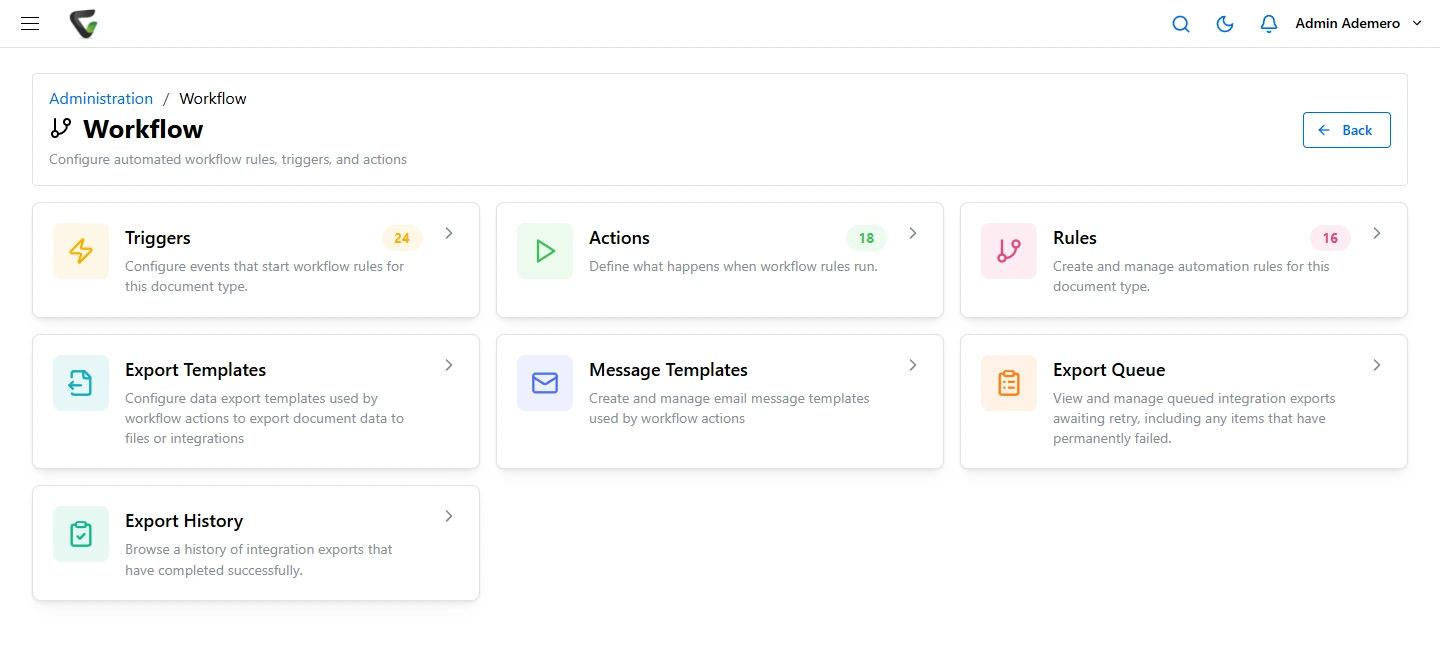
Content Central workflow settings: triggers, actions, rules and export templates

The problem

Work stalls because nobody knew.

Most delays are not decisions. They are documents waiting for someone who did not know they were waiting.

  • Silent queues

    An approval sits for a week because the approver never heard it was ready.

  • Chasing by hand

    Someone spends the morning emailing reminders and walking down the hall.

  • Too much noise

    Blanket reminders go to everyone, so everyone learns to ignore them.

Content Central

Notifications built into the workflow.

Pair a trigger with the actions you want, including notifying people. Each email comes from your own template and goes only to the people at that step.

  • Email notifications from your own templates
  • Triggers, rules and actions, including schedules
  • No developers needed

Content Central

Every task waiting in one queue.

Approvers see everything waiting on them in their work queue, and every decision is recorded on the document with the person and the time.

  • Approval workflows and work queues
  • E-signatures at any step
  • A full audit trail on every decision

CapturePoint 6

Scanned documents start the clock.

CapturePoint 6 splits, sorts, reads and names each page with cutting-edge AI on your own PC, so a scanned document arrives typed and ready to trigger the right workflow.

  • Document AI that runs on your own PC
  • Files straight into Content Central
  • Unlimited scanning, no per-page fees

Told at the moment it matters.

Approvals

Your turn to approve

An invoice or contract reaches your step, and you hear about it right away.

Arrivals

A document came in

A new application, claim or order is filed, and its owner is told.

Schedules

Something is due

A scheduled trigger checks for documents that need attention and notifies the right people.

Go deeper.

Approvals

Approval workflows

Approvals that move without being chased.

Documents

Document workflows

Captured, read, routed and filed the same way every time.

Overview

Workflow automation

Set it up once. Every document routes itself.

Questions

Can we write our own notification emails?

Yes. Notifications are sent from your own email templates, so the wording, subject and details are yours.

Can notifications run on a schedule?

Yes. Workflows can be triggered on a schedule as well as by events like a new document or an approval step.

Do we need a developer to set this up?

No. Triggers and actions are set up point and click. Our team and partners can set up your first workflows with you.

Trusted by 1,000+ organizations since 2002.

Fortune 500 companies and government agencies run on Ademero. Their security, IT and legal teams review us every year and keep renewing.

  • Email notifications from your templates
  • Scheduled and event triggers
  • Every decision on the record
  • No developers needed

Free live demo

Bring the approval you always have to chase. We will show it chasing itself.

Book a free demo and we will show you around, answer your questions and run your real paperwork through it. No cost, no pressure.

  • A live tour of the products that fit your work
  • Your own documents, set up and shown working
  • Your workflow and process, mapped with you
  • Straight answers from people who build it
Engraved illustration: file boxes, a document scanner and a PC at a desk