Hiring
Applications and offers
Resumes, applications, background checks and signed offer letters.
- Full-text search
- Permissions
For HR teams
Personnel files scanned, named and filed by employee. Onboarding packets that route themselves. Access locked to the people who should see it, with every view on record.
The problem
Personnel files are the most sensitive paper in the building, and usually the hardest to find.
Years of employee paperwork in drawers, boxes and back rooms.
New hires fill out the same forms by hand, and HR keys them in again.
Paper and shared drives cannot show who looked at a salary history or a disciplinary record.
I-9s and former-employee files kept too long, or not long enough.
CapturePoint 6
Scan personnel files a box at a time. CapturePoint 6 splits each stack into documents, works out which is an application, an I-9 or a review, reads the employee name and names every file. Its AI runs on your own Windows PC, so employee records never pass through anyone else’s cloud.

Sends it where you work
Every finished document goes out as a searchable PDF with its data, named and filed. Send it to your own folders, Content Central or Nucleus One, or straight into SharePoint, OneDrive, Google Drive, Dropbox and Box.
 SharePoint
 OneDrive
 Google Drive
 Dropbox
 Box
Box

And many more systems through Cortexa Connect. Tell us where your documents need to go.
Content Central
When a new-hire packet arrives, Content Central sends each form to the right person for review, collects e-signatures and files everything in the employee’s folder. Nobody chases paperwork on day one.
Every document lands in the right employee's file, under the right type, with the right people able to see it.
Hiring
Onboarding
Employment
Leaving
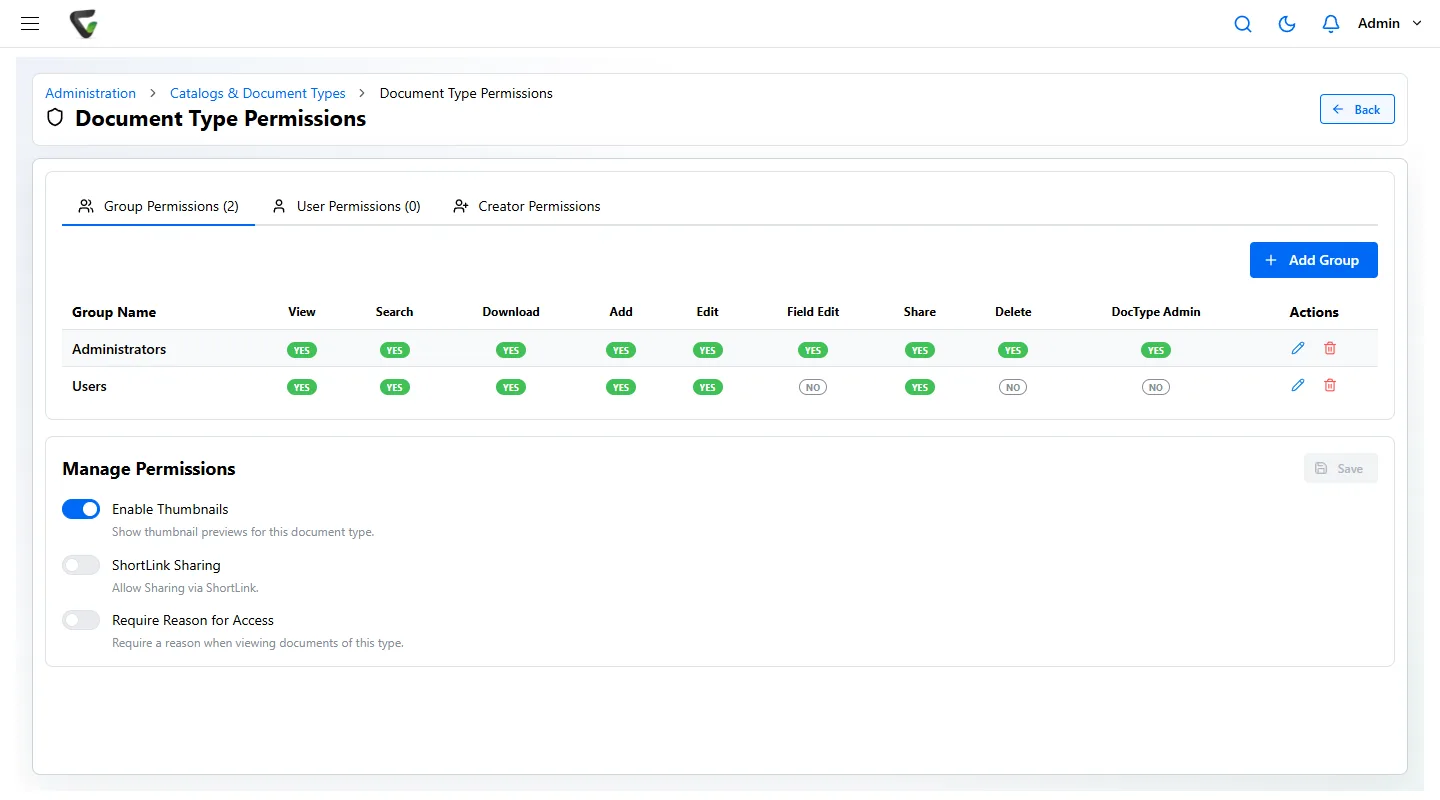
Content Central sets permissions by group, user and document type: who can view, search, download, edit, share or delete. You can require a reason before anyone opens a document type, and the audit trail records every view and change with the person and time. Sign-in works with Active Directory or SAML single sign-on, with MFA.
Yes. Retention rules keep each document type, such as I-9s or former-employee files, for as long as your policy says, then flag them for destruction. Legal holds pause destruction when a claim is open. When an auditor asks, a search pulls every I-9 in seconds.
Content Central integrates with Workday and has a REST API for other systems. Talk to us about the HR software you use.
Pricing depends on what you need: scanning stations for CapturePoint 6, users for Content Central and Nucleus One, document volume for Paige, and your servers for Cortexa. Tell us about your setup on the pricing page and we will send pricing that fits, or book a free live demo and we will walk you through it.
Fortune 500 companies and government agencies run on Ademero. Their security, IT and legal teams review us every year and keep renewing.
Free live demo
Book a free demo and we will show you around, answer your questions and run your real paperwork through it. No cost, no pressure.