Healthcare
Patient records and referrals
Scanned once and protected by role. We sign HIPAA BAAs.
Paperless office
Scan the stacks and every page comes back split, sorted, read and named, then filed where your whole team can find it in seconds.
Free trial starts the first time you open it. No form.
The problem
Files get lost, misfiled and stuck on desks, and finding one means a walk to the cabinet.
File rooms and offsite boxes take space and budget, and nobody can search them.
Someone has to sort, staple, label and file every page that comes in.
Approvals wait in in-trays while the document travels by hand.
CapturePoint 6
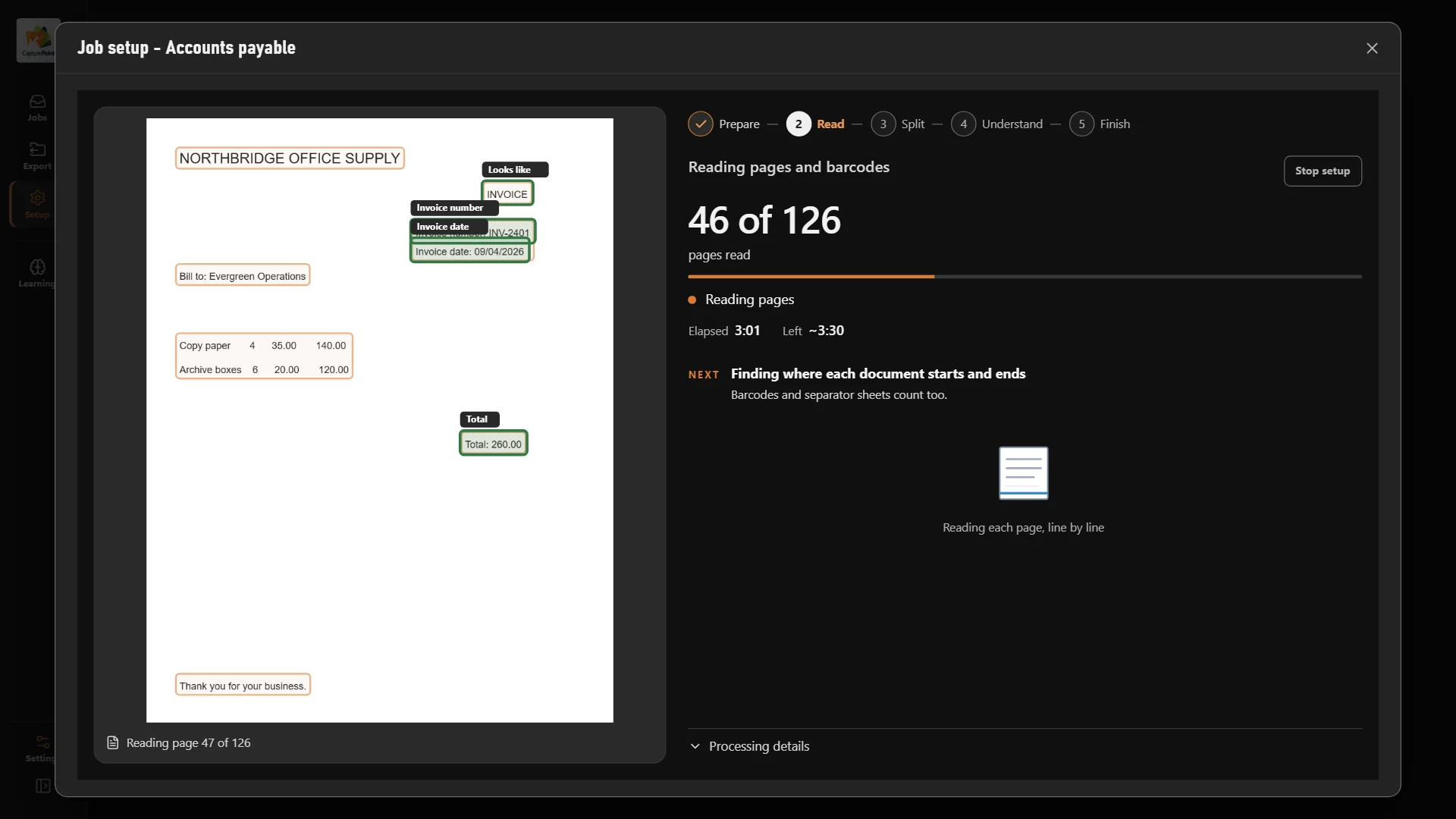
CapturePoint 6 works out every kind of document you have, splits the stack, reads each one and names the file, all by itself. No templates, no zones. Its AI runs on the Windows PC next to your scanner, so nothing leaves the building.
Sends it where you work
Every finished document goes out as a searchable PDF with its data, named and filed. Send it to your own folders, Content Central or Nucleus One, or straight into SharePoint, OneDrive, Google Drive, Dropbox and Box.
 SharePoint
 OneDrive
 Google Drive
 Dropbox
 Box
Box

And many more systems through Cortexa Connect. Tell us where your documents need to go.
Content Central
Keep it all on your own servers with Content Central. Files land in the right folder with the right name, and full-text search finds anything in seconds.
Nucleus One
Nucleus One puts documents, workflows, forms and e-signatures in the cloud, so approvals move on their own instead of riding around on paper. Nothing to install.
Healthcare
Legal
Manufacturing
Savings
Start with the paper you touch most: invoices, HR files or client records. Download the CapturePoint 6 free trial, scan a stack and see it come back split, sorted and named. Then decide where those files should live.
Pricing depends on what you need: scanning stations for CapturePoint 6, users for Content Central and Nucleus One, document volume for Paige, and your servers for Cortexa. Tell us about your setup on the pricing page and we will send pricing that fits, or book a free live demo and we will walk you through it.
Yes, and far easier to control than paper. You get permissions by role and group, Active Directory or SAML sign-in, multi-factor authentication and a full audit trail. Keep everything on your own servers with Content Central, or in the cloud with Nucleus One on Google Cloud.
CapturePoint 6 sends each finished document as a searchable PDF with its data to your own folders, Content Central or Nucleus One, or straight into SharePoint, OneDrive, Google Drive, Dropbox and Box.
Content Central connects to QuickBooks, Sage 50 and Sage X3, Workday, Epicor and Microsoft Dynamics CRM, and both Content Central and Nucleus One have a REST API. Nucleus One also connects through Zapier.
Fortune 500 companies and government agencies run on Ademero. Their security, IT and legal teams review us every year and keep renewing.
Free live demo
Book a free demo and we will show you around, answer your questions and run your real paperwork through it. No cost, no pressure.
