Government
Every public record, found
Records requests answered fast, retention built in, on your servers.
Enterprise
Content Central keeps every document in your environment, with the sign-in, permissions, audit trail and retention your security and legal teams expect. Live in 30 days.
The problem
Thousands of people, dozens of departments and every record a regulator might ask for. The old way cannot keep up.
File shares, inboxes and departmental apps, each with its own rules and no single search.
Invoices, contracts and changes wait in inboxes, and nobody can see where they stand.
Mailrooms and back offices still sort, rename and key in paper by hand.
Proving who saw what, and how long you kept it, turns into weeks of digging.
CapturePoint 6
CapturePoint 6 splits stacks, works out what each document is, reads it and names the file, on the Windows PC next to each scanner. Then it files straight into Content Central or wherever you choose.
Sends it where you work
Reading happens on your PC. Every finished document is then named and filed as a searchable PDF in your own folders or Content Central, and can also go to SharePoint or OneDrive, Google Drive, Dropbox or Nucleus One.

 SharePoint and OneDrive
 Google Drive
 Dropbox

SharePoint and OneDrive need a Microsoft 365 work or school account. Need another system? Tell us where your documents need to go.
Content Central
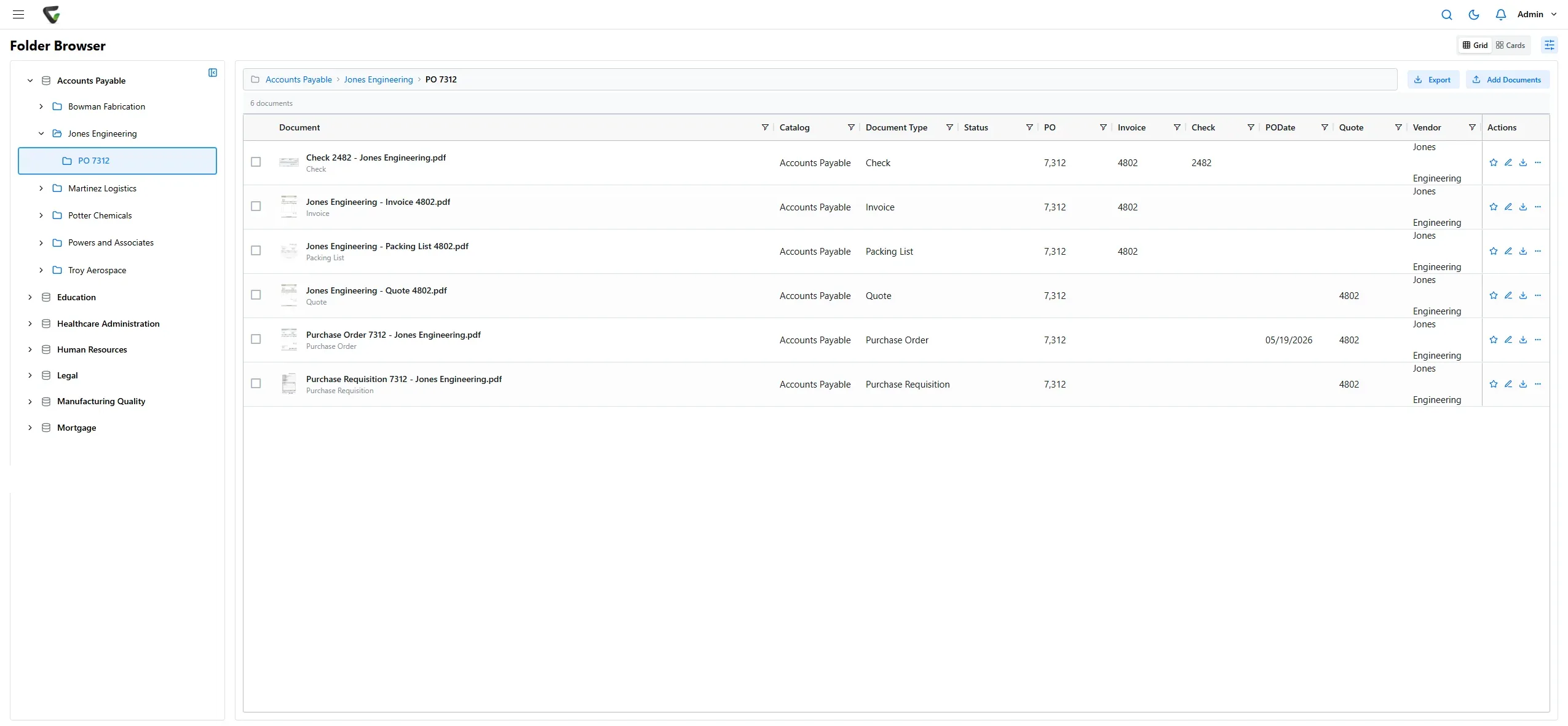
Full-text search reads inside every document, including scanned pages. Permissions by role, group and document type keep each record to the right people, and every action is on record.
Content Central
Workflows move each document to the next approver, with e-signatures built in. Integrations put documents next to the records in the systems you already run.
Cortexa
Cortexa is the AI inside CapturePoint 6 and Paige, available on your own hardware with an OpenAI-compatible API and a private chat app. Your documents stay on your network.

Go-live
No year-long rollout. We plan, install, connect and train with your team, and you are working in Content Central within 30 days.
We map your document types, folders, permissions and workflows with your team.
We install Content Central on your servers and connect sign-in, scanning and the systems you run.
Your administrators and users learn it on your own documents.
Your team starts working in it, with ours right beside them.
Government
Healthcare
Financial services
Legal
Yes. Content Central runs on your own servers, so your documents never leave your environment.
Content Central goes live in 30 days. We plan it with your team, set it up on your servers, connect sign-in and scanning, train your people and stay with you through go-live.
QuickBooks, Sage 50, Sage X3, Workday, Epicor, Dynamics CRM and Nucleus One, plus a REST API. Documents arrive from scanners, email, watched folders and CapturePoint.
With Active Directory or SAML single sign-on, plus multi-factor authentication.
CapturePoint 6 is included for existing CapturePoint customers with active maintenance and support. Pricing depends on what you need: scanning stations for CapturePoint 6, users for Content Central and Nucleus One, document volume for Paige, and your servers for Cortexa. Tell us about your setup on the pricing page and we will send pricing that fits, or book a free live demo and we will walk you through it.
Fortune 500 companies and government agencies run on Ademero. Their security, IT and legal teams review us every year and keep renewing.
Free live demo
Book a free demo and we will show you around, answer your questions and run your real paperwork through it. No cost, no pressure.
