For MSPs and IT providers
Document AI and capture for MSPs and IT providers.
Your clients are asking about AI and still retyping invoices. Sell them document AI that runs on their own PCs and servers, sends documents to the systems they already use, and gives you one portal for every client's renewals and support requests.
- Local reading on client PCs
- Private AI on client hardware
- One portal across clients
Why your clients need it
Every client has a document problem. Most will not send it to a public AI.
For many small and mid-sized businesses, the most practical AI project is the paperwork: reading invoices, claims and forms so nobody types them in again. The catch is where the documents go. That is where you come in.
- 01
They want AI, not a data leak
Your clients hear about AI every week, and their compliance people ask where the documents go. CapturePoint 6 reads on the client’s own PC, and Cortexa puts private AI on servers they own. - 02
Paper still runs the back office
Invoices, claims, HR files and delivery paperwork still get scanned and retyped. That is time you can give back to a client’s team with a project that has a clear before and after. - 03
It has to fit the stack you manage
Finished documents go to the SharePoint, OneDrive, Google Drive or Dropbox the client already uses, or to Content Central with Active Directory and SAML sign-in. No new silo to babysit.
What you sell and deploy
Match the product to where the client’s documents live.
Five products, CapturePoint 6 first. Start with the situation in front of you.
- Scanning and data entry at a desk, documents must stay on-site
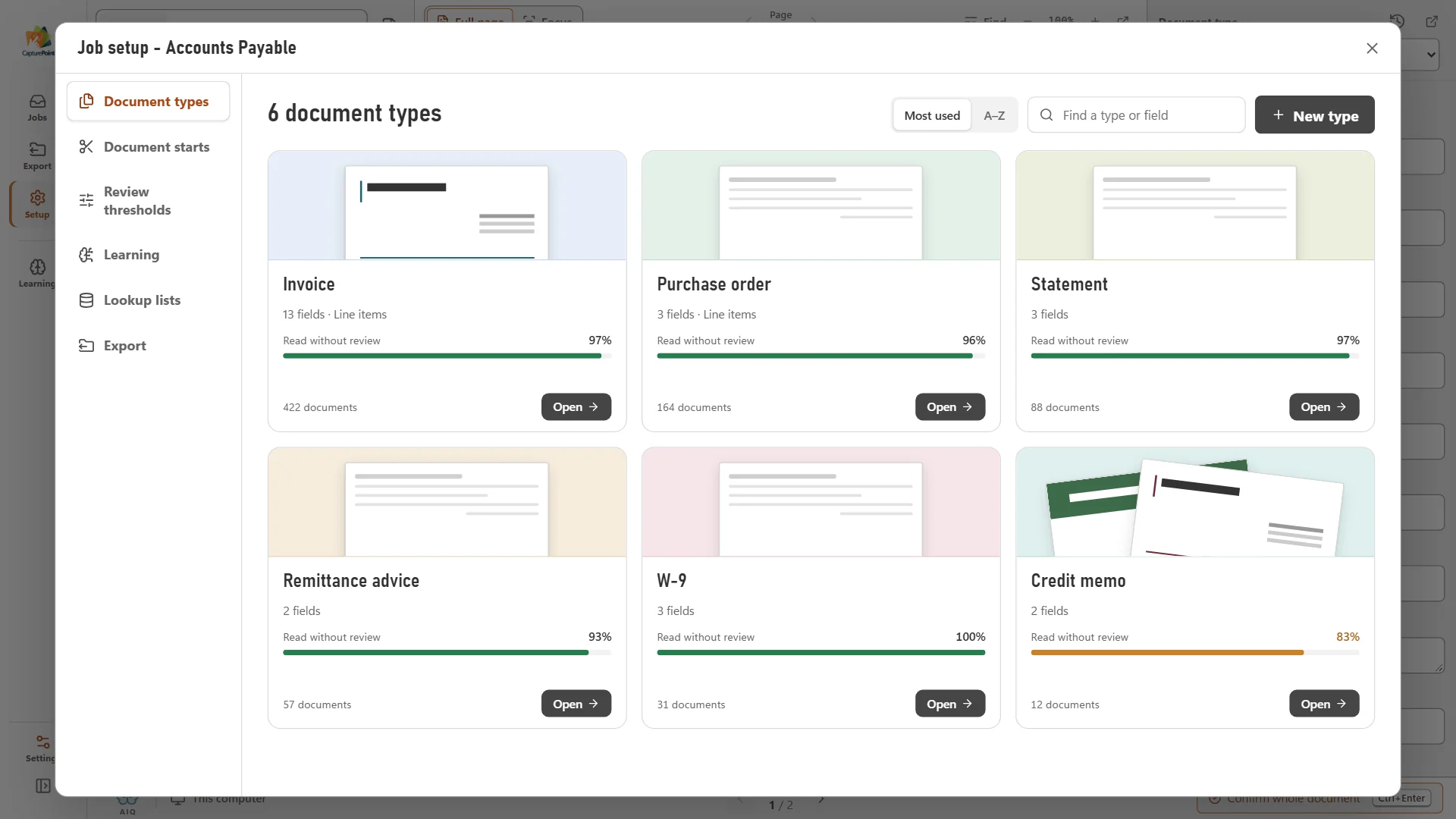
- CapturePoint 6. Installs on a Windows 10 or 11 (64-bit) PC, reads and extracts locally, graphics card optional. Exports to folders, Content Central, SharePoint or OneDrive (Microsoft 365 work or school accounts), Google Drive, Dropbox or Nucleus One.
- The client needs a records system on their own servers
- Content Central. Document management with full-text search, workflows, e-signatures, permissions, audit trail, retention and legal holds. Active Directory and SAML sign-in, MFA, and a REST API.
- A small office that wants documents and workflows without a server
- Nucleus One. Cloud documents, workflows, tasks, forms, e-signatures and client portals, with Zapier, a REST API and iOS and Android apps.
- High volumes of documents that arrive as files and feed another system
- Paige. Runs on Google Cloud. The client sends documents in, Paige returns fields and line items, delivered by download, SFTP or webhook.
- The client wants an internal AI assistant and AI for their own apps, privately
- Cortexa. A private AI server on hardware the client owns: a chat app for staff, single sign-on with their directory, and an OpenAI-compatible API for their applications.
Deployment notes
What your techs should know before the first install.
CapturePoint 6 is the product you will deploy most. It behaves like any other managed Windows app, with a few things worth planning for.
- CapturePoint 6 installer is about 367 MB; the first run downloads its components once (about 6 GB). Stage installs on a good connection.
- Updates install themselves in the background, so there is no patch cycle to schedule for the app.
- Scanners connect through TWAIN. Files can be imported as PDF, TIFF, JPEG, PNG, BMP or GIF.
- SharePoint and OneDrive exports use Microsoft 365 work or school accounts, and SharePoint can fill library columns that share a name with captured values.
- A graphics card is optional. CapturePoint 6 tunes itself to the machine, and a supported card makes it faster.
- Guides for every product are at help.ademero.com, including CapturePoint 6, Content Central, Paige and Nucleus One.
A worked example
A medical billing office, on its own PC.
A client's billing team scans claims, superbills and patient statements every day and keys them into their billing system. They have asked you about AI, and they will not send patient documents to a public service.
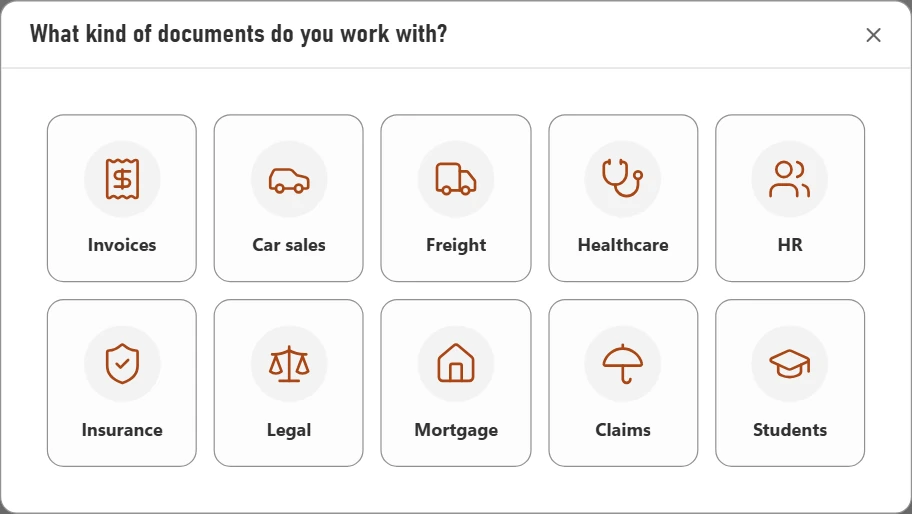
You put CapturePoint 6 on the PC beside their scanner and set it up from a folder of their own documents. It splits each stack, recognizes the document types and reads the fields, all on that PC. Staff review only what it flags, with the reason shown, and it learns from what they confirm. Finished documents go to the client's SharePoint library, where captured values fill the matching columns.
Start the conversation with the healthcare sample job that ships with CapturePoint 6, then run their own documents in a free live demo.
How it fits your business
Recurring software, a clear project, and one place to manage it.
- 01
Recurring lines next to your managed services
CapturePoint 6 is priced per scanning station, Nucleus One per user and Paige by monthly plan sized to volume. Content Central and Cortexa are quoted for the client’s setup. - 02
One view across every client
The partner portal lists each client’s products and renewals, flags the ones due in the next 90 days, and shows open support requests across all your clients, including the ones waiting on the client. - 03
A project you can scope in a visit
CapturePoint 6 sets up a job from a folder of the client’s sample documents, so you can show their own paperwork being read before you write the proposal. - 04
A security conversation you can win
Local reading, on-premises document management and private AI give you an answer for clients who will not send documents to a public AI service. For healthcare clients, Ademero signs HIPAA BAAs.
What Ademero provides
What you get as an Ademero partner.
Your own partner code
When a customer you bring buys CapturePoint 6 or Paige, they enter your partner code at checkout. The code credits the sale to you.
A partner portal for your accounts
One place for your customers and their products, the renewals coming up in the next 90 days, leads Ademero passes to you, every open support request across your customers, billing, and installers and help.
A product that demos itself
CapturePoint 6 ships with ready-made sample jobs on fictional documents and a built-in demo scanner, so you can run a full scan-to-export demo on a Windows laptop with no scanner and no customer files.
Free live demos with our team
For a bigger opportunity, book a free live demo and our team will walk your prospect through the products and run their real paperwork through them.
Help you can hand to customers
The help library at help.ademero.com has step-by-step guides for every product, and our support team takes tickets for you or your customers by email, phone or the support center.
Straight talk on terms
Every partnership is a conversation. We go through how buying, billing and renewals work for your business on the first call, before you sign anything.
MSP questions
Does CapturePoint 6 send client documents to the cloud?
No. Reading and extraction happen locally on the client’s Windows PC. Documents only leave it if you set up a cloud destination, such as SharePoint, Google Drive or Dropbox, and then only finished documents go there.
What hardware does a scanning station need?
A Windows 10 or Windows 11 (64-bit) PC. A graphics card is optional and makes it faster. Plan for the roughly 367 MB installer plus a one-time component download of about 6 GB on first run.
Does it work with our clients’ Microsoft 365?
Yes, with Microsoft 365 work or school accounts. A CapturePoint 6 job can send each finished PDF, with its captured values embedded, to SharePoint or OneDrive, and SharePoint can fill library columns that have the same names as the captured values.
Can we offer Ademero to healthcare clients?
Yes. Ademero signs HIPAA business associate agreements, and CapturePoint 6 keeps reading and extraction on the client’s own PC. Content Central and Cortexa run on the client’s own servers.
How do partner terms work for MSPs?
They depend on how you bill your clients and which products you sell. Clients who buy CapturePoint 6 or Paige enter your partner code at checkout so the sale is credited to you; we go through the rest on the first call, before you sign anything.
Keep reading
- Partner program overview
Who partners with Ademero, what they sell and how we support them.
- For copier and MFP dealers
Turn the scan button on every device you place into a capture sale.
- For AI and automation consultants
Document reading you can build real client projects on.
- Cortexa private AI
AI for your clients’ staff and apps, on servers they own.
Add document AI to your managed services.
Tell us about your clients, your team and the products you want to offer. Our partner team reads every application and calls you to talk it through.
Rather talk first? Call (863) 937-0272 or email solutions@ademero.com.